
Download Visual Web Designer - Hazel Pro – web design, drag-and-drop, visual editor, mobile web builder, no code, website creator, web form builder, online presence, mobile design tool
Overview
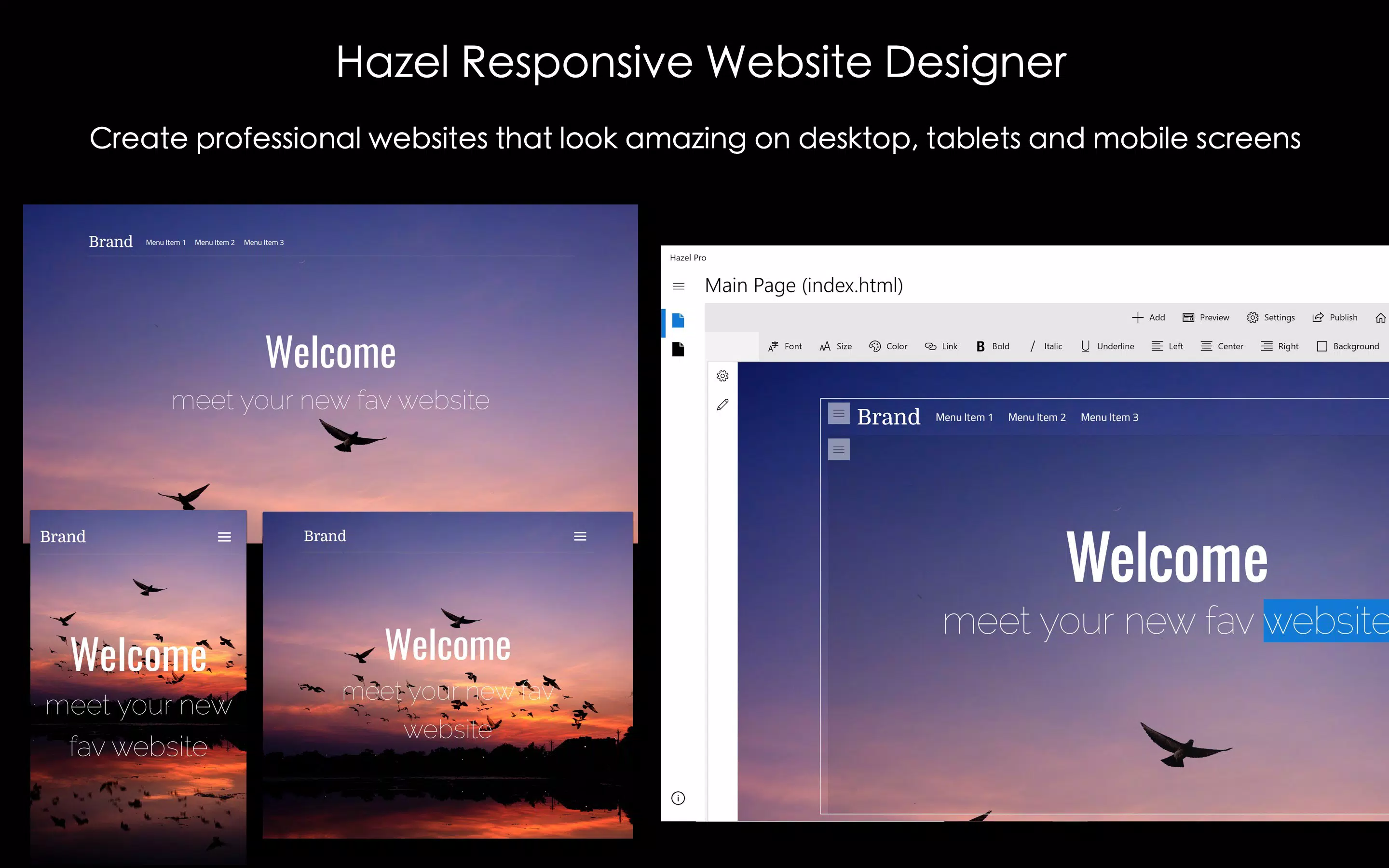
Visual Web Designer - Hazel Pro is a mobile-focused productivity tool designed to empower users to create visually engaging websites and web forms directly from their Android devices. Built for individuals and businesses seeking to establish a professional online presence without relying on traditional coding, the app leverages a drag-and-drop interface to simplify the web design process. Its core purpose is to democratize website creation by removing technical barriers, enabling users with no prior programming experience to design responsive layouts, integrate multimedia elements, and customize interactive features.
The app is particularly useful for freelancers, small business owners, educators, and digital creators who need to build or update websites quickly and efficiently. Whether it’s a personal portfolio, a service landing page, or a client-facing web form, Hazel Pro provides a streamlined workflow for transforming ideas into functional web assets. The developer, Hazel Pro, has positioned the app as a dedicated web design environment, emphasizing creative freedom and user ownership of projects. Notably, the app does not include web hosting services, meaning users must manage deployment through external platforms.
Within the broader mobile app ecosystem, Visual Web Designer - Hazel Pro fills a niche for on-the-go design tools. As mobile-first workflows become increasingly common, having a capable visual editor accessible from a smartphone or tablet enhances productivity and flexibility. The app’s focus on usability and visual customization supports modern design trends, making it a relevant tool for users who prioritize speed, aesthetics, and functionality in their digital projects.
Key Features & Functionality
- Drag-and-Drop Interface: The core functionality of the app revolves around its intuitive drag-and-drop system, allowing users to place design elements such as buttons, text boxes, images, and forms directly onto a canvas. This eliminates the need for syntax knowledge, making it accessible to non-technical users while still offering enough control for experienced designers to refine layouts.
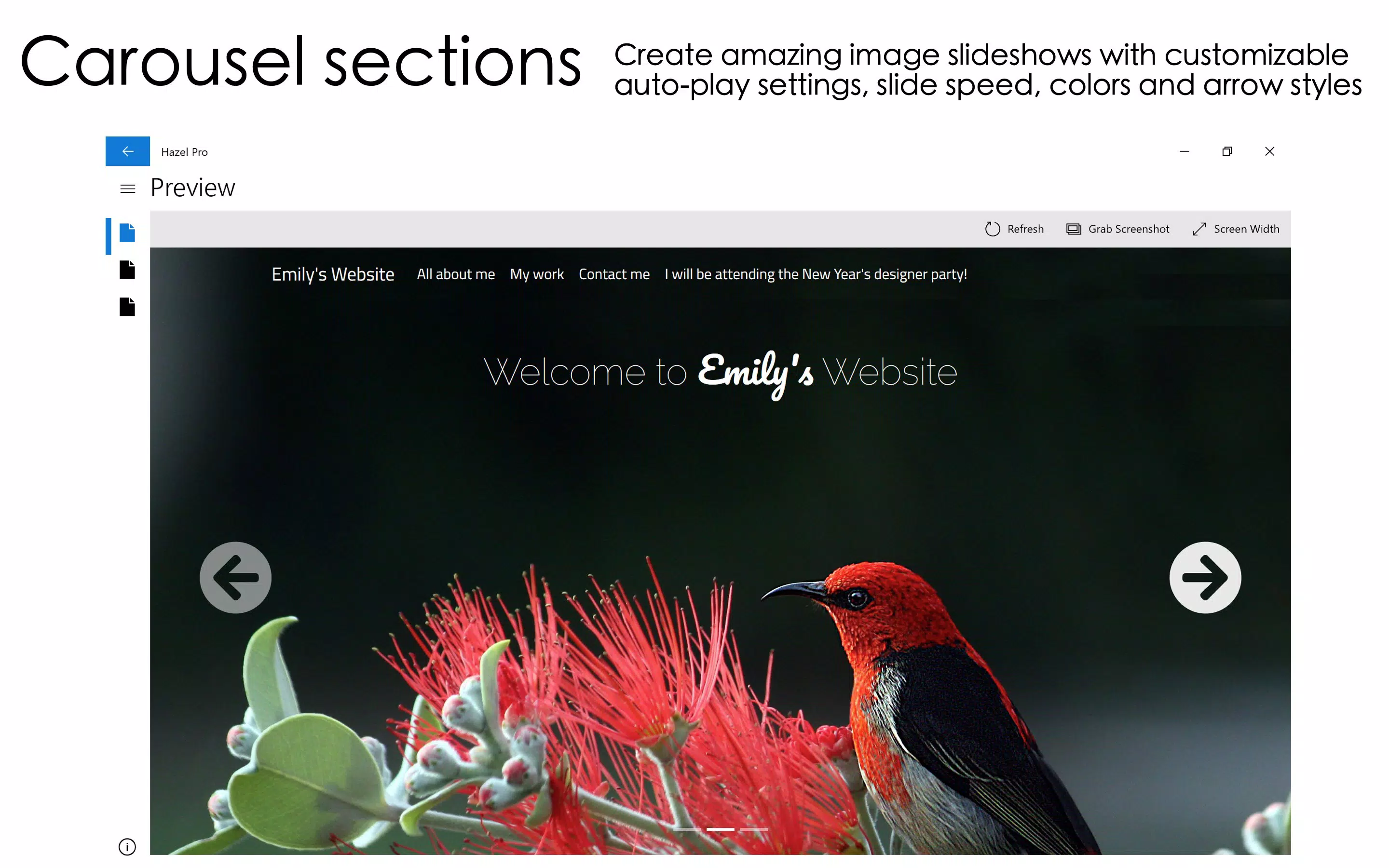
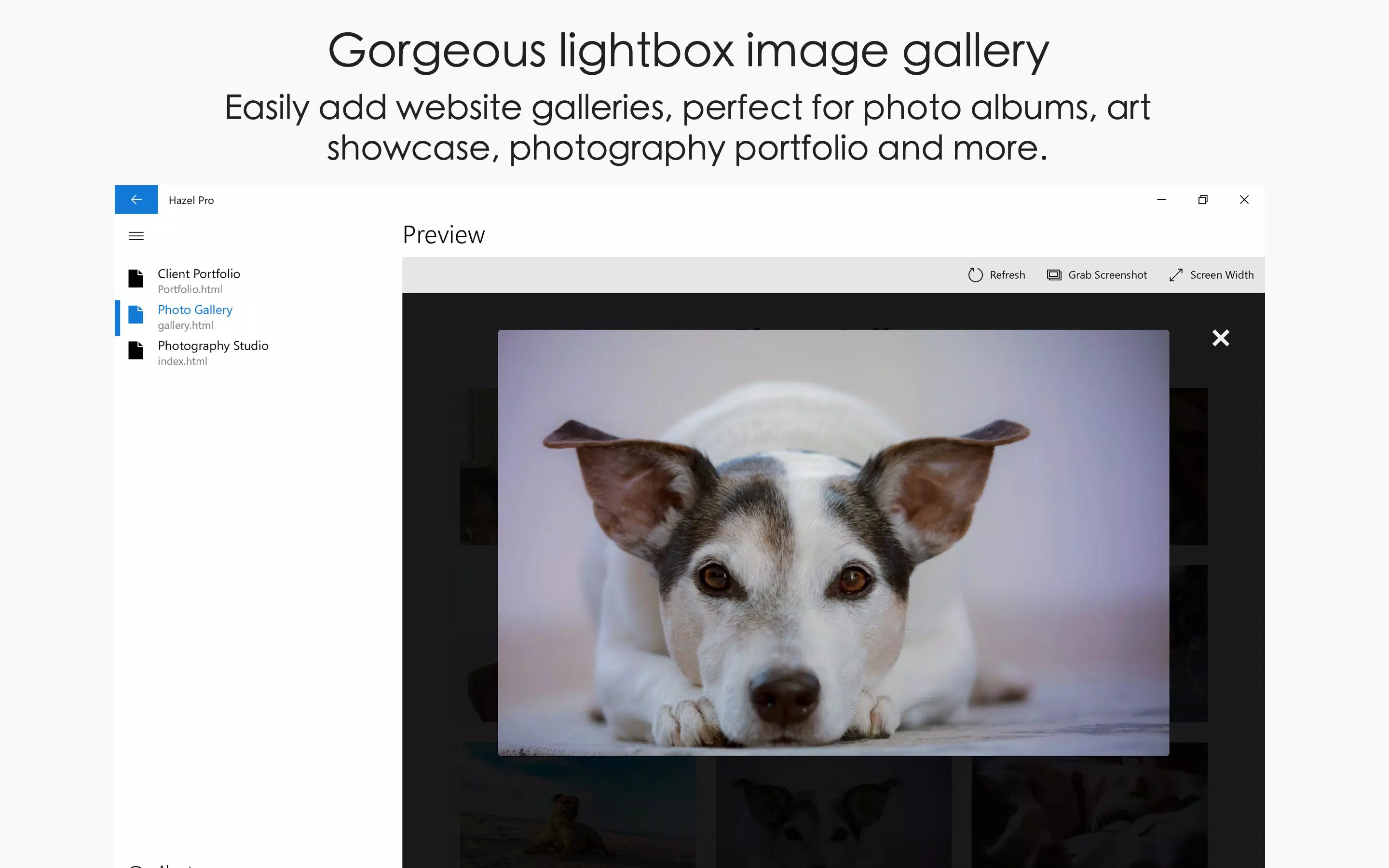
- Rich Element Library: Hazel Pro includes a diverse collection of interactive and visual components, such as animated transitions, lightbox pop-ups, image carousels, embedded videos, and audio players. These features enhance user engagement and help create dynamic web experiences without requiring external code integration.
- Unlimited Project Creation: Users can create and save an unlimited number of websites and web forms, retaining full ownership of their designs. This allows for iterative development, reuse of templates, and the ability to manage multiple client or personal projects within a single app environment.
- In-App Purchases for Full Access: While basic functionality is available, the full suite of features—including watermark removal, advanced customization tools, and extended element options—is unlocked through in-app purchases. This tiered access model supports continued development and provides users with a clear upgrade path.
- Focus on Design, Not Hosting: The app is strictly a design tool, meaning it does not offer hosting, domain management, or deployment services. This ensures a focused experience, allowing users to concentrate on visual and structural aspects of their websites without distractions from backend infrastructure.
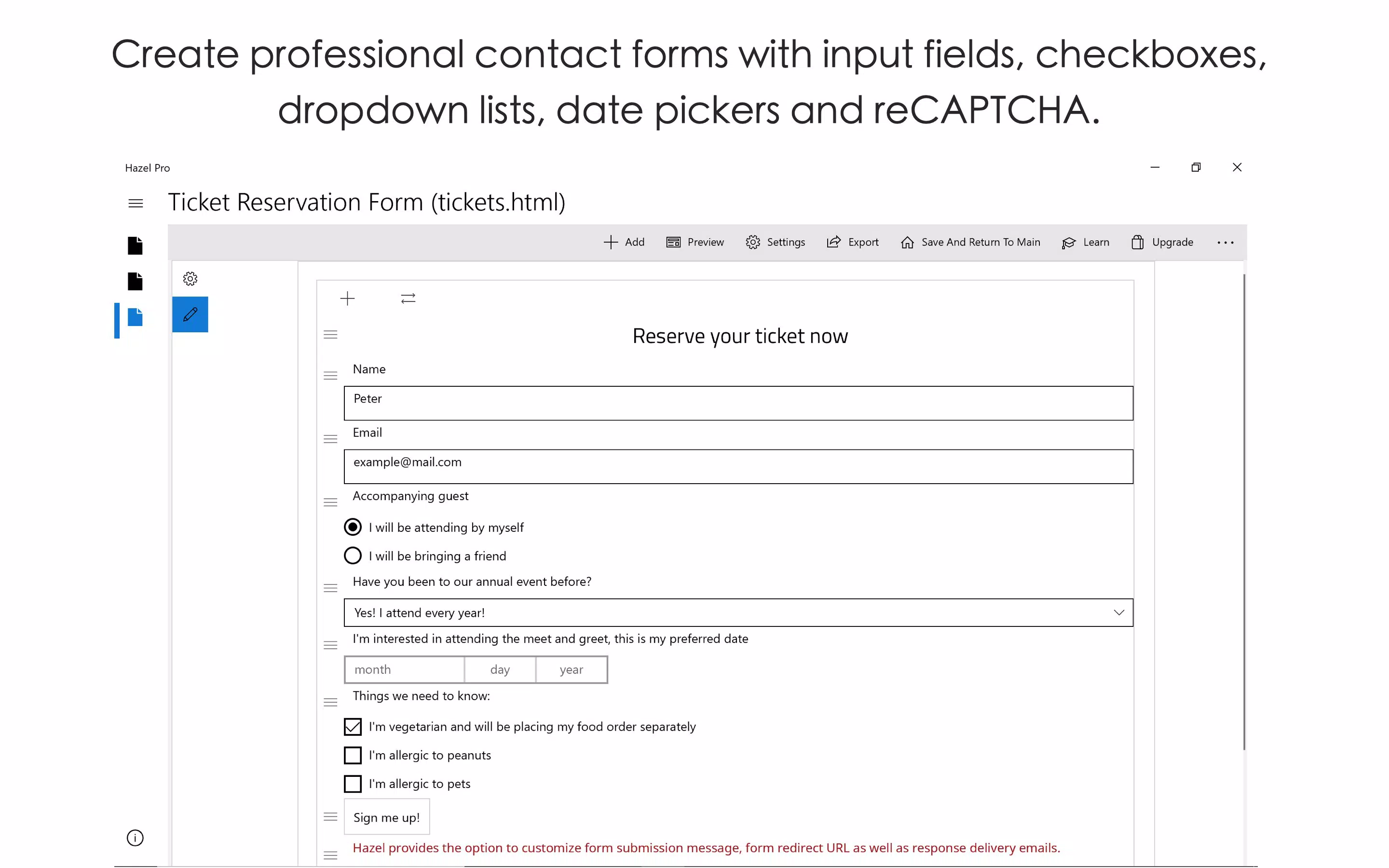
For example, a local artist could use the app to design a mobile-optimized portfolio site with embedded audio clips and image galleries, then export the code for upload to a third-party hosting provider. Similarly, a small business owner might build a contact form with validation and animation effects to improve customer interaction.
Interface, UX & Performance
The user interface of Visual Web Designer - Hazel Pro is designed with clarity and ease of navigation in mind. The layout organizes tools into accessible panels, with a central canvas for design work and sidebars for selecting and customizing elements. Visual feedback is consistent—hovering over or selecting components highlights them clearly, and changes are applied in real time, enhancing the sense of control and immediacy.
Navigation is straightforward, relying on intuitive gestures such as tap, drag, and pinch-to-zoom, which align well with Android touch interactions. The app maintains a clean visual style with minimal clutter, prioritizing functionality over decorative elements. This contributes to a smooth user experience, especially for users who value efficiency and visual focus.
Although the developer did not list formal performance metrics, the app appears optimized for a range of Android devices. Users can expect stable operation on mid-to-high-end smartphones and tablets, with responsive behavior during design tasks such as element placement and animation preview. The app’s 100 MB file size suggests a compact footprint, which may contribute to faster load times and efficient memory usage. Stability during extended design sessions has not been publicly documented, but the absence of reported crashes in available reviews indicates a reliable core experience.
Platform Compatibility & Technical Requirements
Visual Web Designer - Hazel Pro is available exclusively on the Android platform. The app is compatible with Android devices running the OS version specified in the current release, though the developer did not specify minimum OS requirements. The app has a file size of 100 MB, which is relatively moderate for a feature-rich design tool, suggesting efficient resource management.
Users should ensure their devices meet standard Android performance benchmarks to support smooth operation, particularly when working with complex layouts or multimedia elements. While specific hardware recommendations were not provided, the app is likely optimized for devices with at least 2 GB of RAM and a modern processor. Compatibility with tablets is assumed due to the app’s design for larger screens, though official support details were not disclosed.
Pros and Cons
Pros
- Intuitive drag-and-drop interface suitable for beginners and professionals alike
- Extensive library of interactive and visual design elements
- Unlimited project creation with full ownership of designs
- Mobile-first design workflow ideal for on-the-go development
- Clear upgrade path via in-app purchases for enhanced functionality
Cons
- Does not include web hosting or deployment services
- Full features require in-app purchases
- Developer did not provide detailed technical specifications or OS compatibility list
- Performance on older or low-end devices not confirmed
- Limited information on update frequency or long-term support
FAQ
Is Visual Web Designer - Hazel Pro free to download?
The app is available for download with a one-time purchase of $12.99. While basic features may be accessible, full functionality requires an in-app purchase.
Can I use this app to build websites without coding?
Yes, the app is designed for no-code web development. Users can create websites and web forms using a visual editor and drag-and-drop tools without writing any code.
Does the app provide web hosting?
No, Visual Web Designer - Hazel Pro does not include web hosting services. Users must export their projects and deploy them through external hosting platforms.
Is the app compatible with tablets?
While the app is designed for mobile devices, compatibility with tablets is likely due to its responsive interface. Specific tablet support details were not provided by the developer.
How often are updates released?
The developer has not disclosed the update schedule. However, the app has been available since 2019, indicating ongoing maintenance.
Final Thoughts
Visual Web Designer - Hazel Pro stands out as a powerful, mobile-optimized tool for creating professional-grade websites and web forms without coding. Its intuitive interface, rich element library, and focus on creative freedom make it an ideal choice for users who need to design on the move. While it lacks hosting capabilities and requires in-app purchases for full access, these limitations are consistent with its role as a dedicated design environment.
For freelancers, small business owners, educators, and digital creators seeking a reliable, no-code solution for building online presences, this app delivers strong value. It bridges the gap between concept and execution, enabling users to transform ideas into polished web assets with minimal friction.
Download Visual Web Designer - Hazel Pro now


